A reliable Maverick meat thermometer is essential for culinary success, ensuring precision in temperature for both flavor and food safety. With over 35 years in the industry, Maverick offers various models, including instant-read for quick checks, wireless/remote for long cooking sessions, and truly wireless Bluetooth thermometers for advanced monitoring. Proper use, including correct probe placement and regular calibration, is crucial for accurate readings and consistent, mouth-watering results.
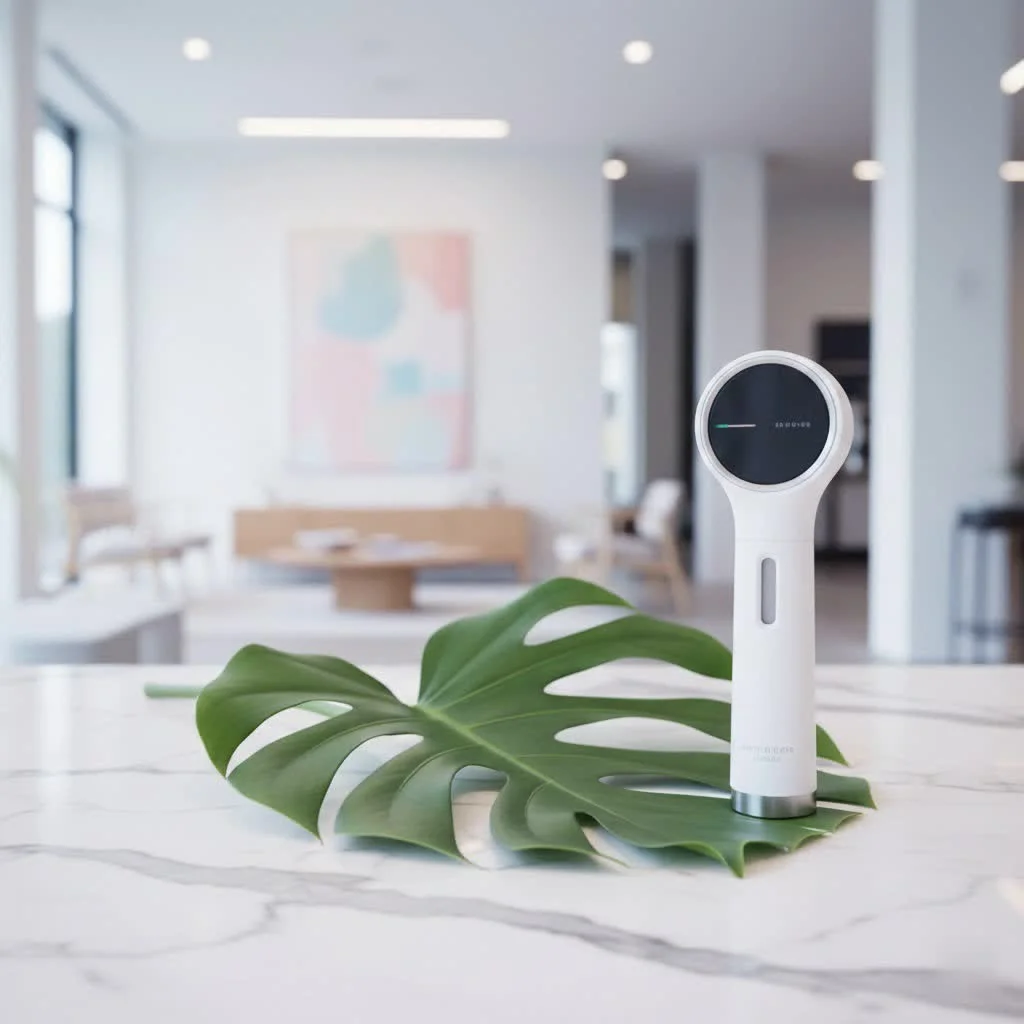 meat thermometer with a digital display and a probe inserted into a roast” style=”margin: 20px auto;width: 800px;max-width: 100%;height: auto” />
Understanding Your Maverick: A Look at Different Types
Maverick has been a pioneer in food temperature monitoring for over 35 years, offering a diverse range of thermometers to suit every cooking style and need. Each type of Maverick meat thermometer is designed with specific applications in mind, ensuring you have the right tool for the job.
Instant-Read Thermometers: Quick Checks for Perfection
When you need a rapid temperature check for thinner cuts of meat, pan-seared steaks, or quick grill items, an instant-read Maverick thermometer is your best friend. Models like the Maverick PT-55 or PT-75 are lauded for their speed and accuracy. They typically feature a slender probe that gives you a reading in just a few seconds, allowing you to quickly verify doneness without overcooking. Many instant-read Mavericks boast features like large, backlit LCD displays for easy reading in any lighting, and some, like the PT-55, are even waterproof with an IP67 rating, making cleanup a breeze. Their compact size and portability make them essential for quick checks on the grill or stovetop.
Wireless/Remote Thermometers: Freedom to Monitor
For those longer cooking sessions, like smoking a brisket, slow-roasting a turkey, or managing a large BBQ, a wireless or remote Maverick meat thermometer is a major upgrade. Devices such as the Maverick XR-50, XR-40, or the classic ET-733 allow you to monitor your food’s internal temperature and even the ambient grill or smoker temperature from afar. This means you can socialize, prepare sides, or simply relax without constantly hovering over your cooker. These systems typically consist of a transmitter unit with probes inserted into the meat and grill, and a separate receiver you carry with you. With impressive ranges, often up to 500 feet for models like the XR-50 and XR-40, you get real-time updates and customizable alarms for both high and low temperatures, ensuring you never miss a critical temperature change.
Truly Wireless (Bluetooth) Thermometers: The Next Generation
Embracing modern connectivity, Maverick also offers truly wireless Bluetooth-enabled thermometers, such as the BT-30 Stake. These innovative devices eliminate wires entirely, connecting directly to your smartphone or tablet via an app. This provides a sleek, convenient way to monitor your cook, often with advanced features like graphing temperature data, estimated cook times, and a wide array of preset food temperatures for different meats and doneness levels. This option is perfect for tech-savvy cooks who appreciate integrated control and data tracking.
Achieving Precision: How to Use Your Maverick Meat Thermometer Correctly
Knowing which Maverick meat thermometer to use is only half the battle; proper technique is just as vital. Even the most advanced thermometer won’t give you accurate readings if used incorrectly.
Proper Probe Placement: The Heart of Accuracy
|
Our Picks for the Best Meat Thermometer in 2026
As an Amazon Associate I earn from qualifying purchases.
|
||
| Num | Product | Action |
|---|---|---|
| 1 | Meat Thermometer Digital,IP67 Waterproof Thermometer for Cooking with 180° Auto-Rotating LED Display,Fast Instant Read Food thermometers for Grilling, Oven,Candy,Liquids,Beef,BBQ(Black) |

|
| 2 | 0.5 Sec Instant Read Meat Thermometer Digital with ±0.5℉ Precision, Food Thermometer for Cooking Kitchen Gadgets, Oven Grill Candy BBQ Essentials Accessories, Gifts for Him Dad Men Birthday, Red |
|
| 3 | 0.5s Instant Read Digital Meat Thermometer, Paysean ±0.5℉ with Auto-Rotating Backlit Display, IP67 Waterproof and Calibration for Cooking, Candy, Grilling, BBQ, Liquid, Smoker, Beef |
|
| 4 | Alpha Grillers Meat Thermometer Digital - Instant Read Food Thermometer for Cooking and Grilling Gifts for Men Valentines Day Gifts for Him Her Mom Dad |
|
| 5 | Professional 0.5 Sec Instant Read Meat Thermometer Digital, NIST Certified ±0.5℉ Accuracy, Auto Rotate Large LCD Display, Highly Waterproof Cooking Thermometer for Baking Grill BBQ Smoker Oven, Red |
|
| 6 | TRAUSI Instant Read Meat Thermometer, Fast & Accurate Digital Food Thermometer with Backlight, Waterproof & Magnet for Grilling, Cooking, BBQ, Smoker, Baking, and Candy Making Blue |
|
| 7 | Meat Thermometer Digital for Grilling and Cooking - ANDAXIN Waterproof Ultra-Fast Instant Read Food thermometers with Backlight & Calibration for Kitchen, Deep Fry, BBQ, Grill(Red/Black), LCD |
|
| 8 | Digital Meat Thermometer, Waterproof Instant Read Food Thermometer for Cooking and Grilling, Kitchen Gadgets, Accessories with Backlight & Calibration for Candy, BBQ Grill, Liquids, Beef, Turkey… |
|
| 9 | Meat Thermometer Digital, Instant Read Meat ThermometerI for Grill and Cooking, Waterproof Food Thermometer for Kitchen and Outside, BBQ, Turkey, Candy, Liquids, Beef |
|
| 10 | ThermoMaven Professional Meat Thermometer Digital, Ultra-Fast 0.5 Sec Instant Read, NIST Certified ±0.5°F Accuracy, 100% Waterproof, Auto-Rotating Backlit Display, Lift-to-Wake, for BBQ/Cooking/Candy |
|
The most critical step in using any meat thermometer is correct probe placement. Always insert the probe into the thickest part of the meat, avoiding bones, gristle, and large pockets of fat. These areas can conduct heat differently or register an inaccurate temperature, leading you to believe your meat is done when it’s not, or vice versa. For poultry, for example, aim for the thickest part of the thigh without touching the bone. For roasts, insert the probe into the center. When using wireless units with multiple probes, to use the dedicated ambient probe (often accompanied by a grill clip) to monitor the temperature inside your smoker or grill, not just the meat itself. This dual monitoring provides a comprehensive view of your cooking environment.
Safe Internal Temperatures for Various Meats
Food safety is paramount, and your Maverick meat thermometer is your primary defense against undercooked food. Here’s a quick reference for minimum safe internal temperatures, as recommended by health authorities:
- Poultry (Chicken, Turkey, Duck): 165°F (74°C)
- Ground Meats (Beef, Pork, Lamb): 160°F (71°C)
- Beef, Pork, Veal, Lamb (Steaks, Roasts, Chops):
- Rare: 125-130°F (52-54°C) (Pull from heat, rest for carryover cooking)
- Medium-Rare: 130-135°F (54-57°C)
- Medium: 135-140°F (57-60°C)
- Medium-Well: 140-150°F (60-66°C)
- Well-Done: 150-160°F (66-71°C)
- Fish: 145°F (63°C)
- Casseroles/Leftovers: 165°F (74°C)
these are minimums. For optimal texture and doneness, especially for steak and roasts, consider pulling the meat off the heat a few degrees before your target temperature, as carryover cooking will continue to raise the internal temperature during resting.
Calibrating Your Maverick for Reliable Readings
Even the most dependable Maverick meat thermometer can drift over time. Regular calibration ensures your readings remain accurate. A simple and effective method is the ice bath test.
Ice Bath Calibration Method:
- Fill a glass with crushed ice and add a small amount of cold water, just enough to fill the gaps between the ice. Stir for about 30 seconds.
- Insert your thermometer probe into the center of the ice bath, ensuring the tip is submerged but not touching the bottom or sides of the glass.
- Wait for the reading to stabilize. A properly calibrated thermometer should read 32°F (0°C).
- If your Maverick instant-read model, like the PT-55, has a recalibration feature, follow the instructions (often involves holding a specific button for a few seconds while in the ice bath). For other models, or if significant discrepancy persists, consult the user manual or Maverick’s support resources.
As “Chef Antoine Dubois,” a seasoned culinary expert, often says, “Calibration is not merely a technical step; it is a chef’s promise to their diners – a promise of precision and safety on every plate.”
Factors Affecting Accuracy: What to Watch Out For
Even with a top-tier Maverick meat thermometer, several factors can influence the accuracy of your readings. Being aware of these can help you avoid common pitfalls.
- Improper Probe Insertion: As discussed, touching bone, gristle, or fat can skew readings. Always aim for the center of the thickest part of the muscle.
- Moisture Ingress: This is a common culprit, especially for probe thermometers left in high-moisture environments. If water seeps into the probe or its wiring, it can lead to erratic or completely inaccurate readings. While Maverick designs many probes to be water-resistant, prolonged exposure or submersion not intended for the specific model can cause issues.
- Low Battery Life: For any digital or wireless Maverick meat thermometer, dwindling battery power can significantly impact performance, including signal strength and display accuracy. Always ensure fresh batteries are installed, especially before a long cook.
- Exceeding Temperature Limits: While Maverick probes are built to withstand high temperatures, pushing them beyond their specified maximum can cause permanent damage to the sensor or wiring. Be mindful of manufacturer guidelines.
- Signal Interference (Wireless Units): Obstacles like thick walls, metal structures, or other electronic devices can interfere with the signal of your wireless Maverick thermometer, reducing its effective range or causing connection drops. Try to maintain a clear line of sight between the transmitter and receiver.
Care and Maintenance: Keeping Your Maverick in Top Shape
Just like any valuable kitchen tool, your Maverick meat thermometer needs proper care to ensure its longevity and consistent performance.
- Cleaning Probes: After each use, wipe down the probes and wires with a damp cloth and mild soap. Rinse thoroughly and dry completely. Important: Never put your thermometer probes or wires in a dishwasher, as the harsh detergents and high heat can damage the sensitive electronics and insulation.
- Storage Tips: Store your Maverick thermometer in a clean, dry place. For instant-read models, ensure the probe is fully retracted or protected by its sheath. For wireless units, neatly coil the probe wires to prevent kinking or damage. Many Maverick models come with lanyards or carabiner clips for convenient storage.
- Battery Replacement: Replace batteries as soon as the low-battery indicator appears. For units like the XR-50 or XR-40, using fresh AA batteries is crucial for optimal range and functionality. Consider removing batteries if the thermometer will be stored for an extended period to prevent leakage.
- Protecting Against Moisture: While some Maverick models are waterproof (like the PT-55), most probes and especially the main transmitter/receiver units are not meant for submersion. Keep the main units away from direct moisture, rain, or splashes unless explicitly stated as waterproof.
Troubleshooting Common Maverick Meat Thermometer Issues
Even with the best care, you might encounter an issue with your Maverick meat thermometer. Here are some common problems and their solutions, drawing from my years of experience.
Erratic or Inaccurate Readings
If your thermometer is giving readings that seem dramatically off, consider these steps:
- Re-check Probe Placement: The most frequent cause of inaccuracy is improper insertion. Ensure the probe is securely in the thickest part of the meat, not touching bone or fat.
- Moisture Remediation (for probes): If you suspect moisture has entered the probe, a trick I’ve found useful is a gentle bake-out. Preheat your oven to a low 250°F (120°C). Place only the probe and its wire (not the main transmitter or receiver unit!) in a small baking pan. Leave it in the oven for about an hour, then remove and allow it to cool completely. This can sometimes evaporate internal moisture and restore functionality.
- Calibrate: Perform an ice bath calibration to verify accuracy. If it’s consistently off, and your model has a calibration feature, use it. Otherwise, contact Maverick support for potential probe replacement.
Wireless Connection Problems
For remote Maverick meat thermometer systems, connection issues can be frustrating.
- Power Sequence: For many Maverick wireless units, the correct power-on sequence is crucial. Always turn on the receiver unit first, then the transmitter unit.
- Battery Check: Low batteries are the most common cause of poor range or dropped connections. Replace the batteries in both the receiver and transmitter with fresh ones.
- Resync Steps: If the units aren’t connecting, try manually resyncing them. This often involves pressing and holding a specific button on the back of the transmitter, or a combination of buttons (e.g., °F/°C and power) on the receiver, for a few seconds. Refer to your specific model’s manual for precise instructions.
- Clear Obstructions: Ensure there’s a clear line of sight between the transmitter and receiver, minimizing interference from metal objects or walls.
Displaying LL.L or HH.H
These messages indicate that the probe has detected a temperature outside its measurable range.
- LL.L: Usually means the temperature is below 32°F (0°C). If inserted into meat, it might still be partially frozen. Remove the probe and allow it to come to room temperature.
- HH.H: Indicates the temperature is above the probe’s maximum limit. This often happens if a meat probe is exposed directly to extreme grill flames. Remove the probe immediately from the heat source and allow it to cool.
If either LL.L or HH.H persists after the probe has returned to room temperature, it’s likely the internal probe wire has been damaged due to moisture or excessive heat, and a replacement probe will be needed.
Why Choose a Maverick Meat Thermometer?
In a market flooded with options, Maverick has consistently stood out as a brand synonymous with quality, innovation, and reliability. For over three decades, they’ve been at the forefront, from pioneering the wireless thermometer to developing app-enabled solutions. Their commitment to crafting durable, accurate instruments means that when you invest in a Maverick meat thermometer, you’re getting more than just a gadget; you’re getting a trusted partner in your culinary journey. Pitmasters and home cooks alike often praise Maverick for its robust build quality, impressive wireless range, and consistent performance, making it a staple in countless kitchens and BBQ rigs. It’s this dedication to excellence that makes Maverick a top choice for anyone serious about cooking.
Frequently Asked Questions
How often should I calibrate my Maverick thermometer?
It’s a good practice to calibrate your Maverick thermometer regularly, especially if you cook frequently. I recommend checking it with the ice bath method every few months, or if you suspect it’s giving inaccurate readings, or if it has experienced a significant drop or impact.
Can I leave my Maverick probe in the meat during the entire cooking process?
Yes, most Maverick probe thermometers (like those found in the XR series) are designed for continuous monitoring throughout the cooking process, particularly for longer cooks like roasting or smoking. Instant-read thermometers, however, are meant for quick spot checks and should not be left in meat during cooking.
What’s the difference between an instant-read and a remote thermometer?
An instant-read thermometer provides a quick temperature reading in seconds and is best for fast checks on thinner meats. A remote (or wireless) thermometer uses a probe inserted into the meat that sends signals to a receiver, allowing you to monitor temperatures from a distance, ideal for long cooks in smokers or ovens.
How do I clean my Maverick probes?
Simply wipe down the probes and wires with a damp cloth and mild dish soap after each use, then rinse and dry thoroughly. Crucially, avoid putting them in the dishwasher or submerging the entire probe or wire assembly unless specifically rated for it, as this can damage the internal electronics.
My Maverick is showing “LL.L” or “HH.H”, what does that mean?
These are error messages indicating the probe is reading a temperature outside its operational range. “LL.L” means the temperature is too low (below 32°F/0°C), possibly due to frozen meat. “HH.H” means the temperature is too high (above the probe’s max limit), often from direct exposure to extreme heat like flames. Remove the probe from the extreme temperature and allow it to return to room temperature. If the error persists, the probe may be damaged.
Conclusion
A Maverick meat thermometer is more than just a tool; it’s an investment in consistently delicious and safe cooking. By understanding the different types available, mastering proper usage techniques, and maintaining your device with care, you empower yourself to cook with confidence and precision. From perfectly seared steaks to succulent slow-smoked ribs, your Maverick will be your trusted companion, ensuring every meal is cooked to perfection. Don’t settle for guesswork; embrace the accuracy and reliability that a Maverick thermometer brings to your kitchen and grill. Visit JXSRW for more expert tips and to explore how you can improve your culinary craft.
Calibrate Your Maverick Meat Thermometer Using an Ice Bath
Ensure your Maverick meat thermometer provides accurate readings by performing a simple ice bath calibration. This method helps verify if your thermometer is reading 32u00b0F (0u00b0C) correctly.
Fill a glass with crushed ice and add a small amount of cold water, just enough to fill the gaps between the ice. Stir the mixture for about 30 seconds to ensure a consistent temperature.
Carefully insert your thermometer probe into the center of the ice bath. Make sure the tip of the probe is fully submerged in the ice water but not touching the bottom or sides of the glass.
Wait for the thermometer's reading to stabilize. A properly calibrated thermometer should display 32u00b0F (0u00b0C). If your Maverick model has a recalibration feature, follow its specific instructions, often involving holding a button while in the ice bath.
If your thermometer shows a significant discrepancy and does not have a recalibration feature, or if the issue persists after recalibration, consult your user manual or contact Maverick's customer support for further assistance or potential probe replacement.
Cooking gear we tested in our own kitchens
Practical specs, not advice. Unsubscribe anytime.
This Maverick thermometer has seriously improved my baking and roasting. I used to struggle with getting my roasts just right, but with the precise temperature readings, everything comes out perfectly cooked and juicy. I appreciate that Maverick has been around for over 35 years; it really shows in the quality of their products.
I finally upgraded to a Maverick instant-read thermometer after years of guessing, and wow, what a difference! My steaks are perfectly medium-rare every time now. It’s super fast and easy to clean, which is a huge plus after a big grilling session. Definitely worth the investment for anyone serious about their cooking.
I picked up one of the Maverick Bluetooth models, hoping for advanced monitoring, but I’ve had some connectivity issues. It works fine when I’m right next to the grill, but if I go inside, it sometimes drops the signal. When it does connect, the readings are accurate, and the app is decent, but the inconsistent connection is a bit frustrating.
I’ve been using a Maverick wireless thermometer for my longer cooks, especially briskets and pork shoulders. The remote monitoring is a game-changer, letting me keep an eye on the temp without constantly opening the smoker. My only minor gripe is that the range could be a little better, but it’s still a solid performer for the price.