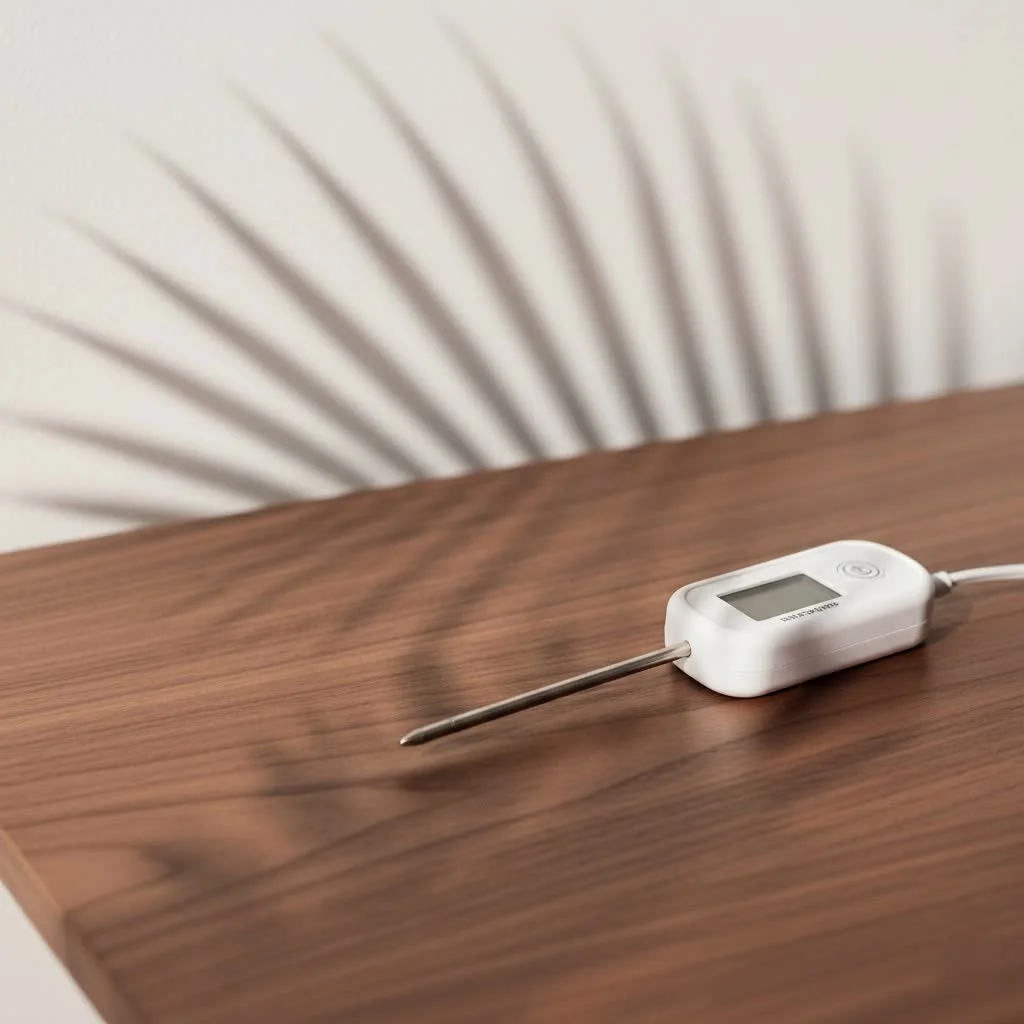
A wireless smart meat thermometer is an indispensable tool that transforms guesswork into gastronomic greatness, ensuring every meal is cooked to perfection and, crucially, to safe internal temperatures. These devices cut the cord, giving you unprecedented freedom to monitor your meat’s internal temperature from a distance, typically up to 165 feet via Bluetooth or unlimited range with Wi-Fi, all while providing real-time data and guided cooking programs through a smartphone app.
The Evolution of Precision: Why Go Wireless and Smart?
For generations, home cooks relied on instant-read thermometers or even subjective visual cues. While traditional digital probe thermometers offered a significant improvement by allowing you to monitor temperatures without opening the oven, they still tethered you with a wire. Enter the wireless smart meat thermometer – a true major upgrade. These devices cut the cord, giving you unprecedented freedom to mingle with guests, prep side dishes, or simply relax, all while your meat cooks precisely. For meat thermometers buying guides on this site.
The magic truly happens with smart capabilities. Forget memorizing temperature charts; these thermometers pair with a smartphone app, providing real-time data, estimated cooking times, and even guided cooking programs. This means unparalleled accuracy, consistency, and a profound sense of confidence in the kitchen.
Understanding Your Wireless Smart Meat Thermometer
At its core, a wireless smart meat thermometer consists of a few key components:
- The Probe: This is the slender, heat-resistant metal rod inserted into your food. High-quality probes typically house at least two sensors: one for the internal temperature of the meat and another at the ambient end to measure the surrounding cooking environment (oven, grill, smoker).
- The Base/Transmitter: This unit communicates wirelessly with the probe and then relays that information to your smart device. It often doubles as a charging station and storage for the probe(s).
- The Smart App: Your culinary command center! Available on your smartphone or tablet, the app displays temperatures, allows you to set target doneness, provides estimated cook times, and sends notifications.
The “wireless” aspect usually comes in two forms: Bluetooth and Wi-Fi. Bluetooth thermometers offer a decent range, often up to 100-165 feet, perfect for backyard grilling. Wi-Fi thermometers, on the other hand, connect to your home network, offering virtually unlimited range as long as you have Wi-Fi connectivity. Some advanced models may even bridge both.
Your First Cook: A Step-by-Step Guide to Using Your Wireless Smart Meat Thermometer
Ready to experience perfectly cooked meat? Here’s how to get started:
Preparation is Key
Before you even touch your protein, make sure your wireless smart meat thermometer is ready for action.
- Charge the Device: Many probes require charging via their base unit. Ensure it’s fully charged for an uninterrupted cooking session. Some models can fully charge in as little as 25 minutes for 25 hours of use.
- Download and Pair the App: Find the companion app for your specific thermometer on your smartphone’s app store. Install it, then follow the on-screen instructions to pair your device via Bluetooth or Wi-Fi. This usually involves pressing a button on the base unit.
Mastering Probe Placement
|
Our Picks for the Best Meat Thermometer in 2026
As an Amazon Associate I earn from qualifying purchases.
|
||
| Num | Product | Action |
|---|---|---|
| 1 | Alpha Grillers Meat Thermometer Digital - Instant Read Food Thermometer for Cooking and Grilling Gifts for Men Valentines Day Gifts for Him Her Mom Dad |

|
| 2 | 0.5s Instant Read Digital Meat Thermometer, Paysean ±0.5℉ with Auto-Rotating Backlit Display, IP67 Waterproof and Calibration for Cooking, Candy, Grilling, BBQ, Liquid, Smoker, Beef |
|
| 3 | Meat Thermometer Digital for Grilling and Cooking - ANDAXIN Waterproof Ultra-Fast Instant Read Food thermometers with Backlight & Calibration for Kitchen, Deep Fry, BBQ, Grill(Red/Black), LCD |
|
| 4 | TRAUSI Instant Read Meat Thermometer, Fast & Accurate Digital Food Thermometer with Backlight, Waterproof & Magnet for Grilling, Cooking, BBQ, Smoker, Baking, and Candy Making Blue |
|
| 5 | Meat Thermometer Digital, Instant Read Meat ThermometerI for Grill and Cooking, Waterproof Food Thermometer for Kitchen and Outside, BBQ, Turkey, Candy, Liquids, Beef |
|
| 6 | Professional 0.5 Sec Instant Read Meat Thermometer Digital, NIST Certified ±0.5℉ Accuracy, Auto Rotate Large LCD Display, Highly Waterproof Cooking Thermometer for Baking Grill BBQ Smoker Oven, Red |
|
| 7 | Meat Thermometer Digital,IP67 Waterproof Thermometer for Cooking with 180° Auto-Rotating LED Display,Fast Instant Read Food thermometers for Grilling, Oven,Candy,Liquids,Beef,BBQ(Black) |
|
| 8 | 0.5 Sec Instant Read Meat Thermometer Digital with ±0.5℉ Precision, Food Thermometer for Cooking Kitchen Gadgets, Oven Grill Candy BBQ Essentials Accessories, Gifts for Him Dad Men Birthday, Red |
|
| 9 | ThermoMaven Professional Meat Thermometer Digital, Ultra-Fast 0.5 Sec Instant Read, NIST Certified ±0.5°F Accuracy, 100% Waterproof, Auto-Rotating Backlit Display, Lift-to-Wake, for BBQ/Cooking/Candy |
|
| 10 | Digital Meat Thermometer, Waterproof Instant Read Food Thermometer for Cooking and Grilling, Kitchen Gadgets, Accessories with Backlight & Calibration for Candy, BBQ Grill, Liquids, Beef, Turkey… |
|
This is perhaps the most critical step for accurate readings. Incorrect placement can lead to misleading temperatures and an unsatisfying meal.
- Thickest Part of the Meat: Always insert the probe into the thickest part of the meat, ensuring the tip reaches the very center.
- Avoid Bone, Fat, or Gristle: These areas conduct heat differently and can give inaccurate readings. Aim for pure muscle.
- Specific Tips:
- Whole Poultry (Chicken/Turkey): Insert into the thickest part of the breast or the innermost portion of the thigh, making sure the tip doesn’t touch bone.
- Steaks or Chops: For thinner cuts, insert the probe sideways into the center of the meat, parallel to your cutting board.
- Large Roasts or Briskets: Insert into the center of the thickest portion, typically about 1-2 inches from where fat and lean meet, away from large fat deposits or bones.
- Mind the Ambient Sensor: If your probe has a shorter, blunt end for ambient temperature, ensure this part is fully outside the meat to accurately read your oven or grill temperature.
Navigating the Smart App
Your app is designed to simplify the cooking process.
- Choose Your Cook: Most apps offer guided cooking. Select the type of meat (beef, pork, poultry), the specific cut (steak, roast, brisket), and your desired doneness (rare, medium-rare, medium, etc.). The app will automatically set the target internal temperature based on recommended guidelines.
- Monitor Cooking Progress: The app will display real-time internal and ambient temperatures, often with a clear graph of the cooking progress. Many will also provide an estimated time remaining until your meal is ready.
- Set Alerts: Utilize the customizable alerts for when your meat reaches its target temperature, or even for ambient temperature fluctuations if you’re smoking. Some apps even provide reminders to flip your meat or guide you through the resting process.
The Crucial Resting Phase
Don’t skip this! When your app notifies you that your meat has reached its target temperature and it’s time to remove it from the heat, listen.
- Carryover Cooking: Meat continues to cook for a few minutes after being removed from the heat source. This “carryover cooking” can raise the internal temperature by several degrees. Your smart thermometer app often accounts for this, telling you to pull the meat before it hits the final target.
- Juice Redistribution: Resting allows the muscle fibers to relax and reabsorb juices, resulting in a more tender and flavorful product. If you cut into it too soon, those delicious juices will run out onto your cutting board.
Safe and Delicious: USDA Recommended Internal Temperatures
Food safety is paramount, and a wireless smart meat thermometer is your best defense against undercooked food. Never rely on color or firmness; always trust the thermometer. Here are the minimum safe internal temperatures recommended by the USDA:
| Food Type | Minimum Internal Temperature | Rest Time |
|---|---|---|
| Beef, Pork, Veal, Lamb (Steaks, Chops, Roasts) | 145°F (62.8°C) | 3 minutes |
| Ground Meats (Beef, Pork, Veal, Lamb) | 160°F (71.1°C) | N/A |
| All Poultry (Whole, Parts, Ground) | 165°F (73.9°C) | N/A |
| Fresh or Smoked Ham (Uncooked) | 145°F (62.8°C) | 3 minutes |
| Fully Cooked Ham (to reheat) | 140°F (60°C) (USDA Inspected) | N/A |
| 165°F (73.9°C) (All others) | N/A |
while these are minimums for safety, your personal preference for doneness (especially for cuts like steak) might mean you aim for higher temperatures within the safe range.
Keeping Your Thermometer Sharp: Accuracy and Maintenance
Even the most advanced wireless smart meat thermometer needs a little TLC to remain accurate and reliable.
Factors Affecting Accuracy
Several things can throw off your readings:
- Improper Probe Placement: As discussed, touching bone or fat can lead to skewed results.
- Low Battery: A weak battery can cause erratic or inaccurate readings.
- Physical Damage: A bent or damaged probe can permanently affect its accuracy.
- Altitude: The boiling point of water changes with altitude, which is important for one calibration method.
Calibration: The Ice Bath Method
While many digital thermometers are factory-calibrated and don’t offer manual adjustments, it’s essential to check their accuracy regularly. The simplest method is the ice bath:
- Fill a tall glass with crushed ice, then add cold water until full. Stir well and let it sit for a couple of minutes to reach a steady 32°F (0°C).
- Insert your thermometer probe at least 2 inches deep into the ice water, ensuring it doesn’t touch the sides or bottom of the glass.
- Wait at least 30 seconds for the reading to stabilize. It should read 32°F (0°C).
- For analog thermometers: If it’s off, use a small wrench or pliers to turn the adjustment nut usually found under the dial until it reads 32°F.
- For digital thermometers: If it consistently reads something other than 32°F (e.g., 30°F), note that deviation. You’ll then need to adjust your target cooking temperature accordingly (e.g., if it reads 2°F low, add 2°F to your target).
- Frequency: Calibrate your thermometer regularly, especially if it’s new, if you’ve dropped it, or if you notice inconsistent results. A good rule of thumb is every 2-3 months with frequent use, or seasonally.
Cleaning and Care
After each glorious cook, proper cleaning prevents contamination and extends your thermometer’s life:
- Wash the Probe: Use warm, soapy water to thoroughly clean the probe. For tough residue, a gentle scrub is usually sufficient.
- Rinse and Dry: Rinse well and ensure the probe is completely dry before storing. Avoid immersing the entire base unit or electronic components in water unless explicitly stated by the manufacturer.
- Storage: Store your thermometer in its designated case or a safe spot, away from heavy utensils that could bend or damage the delicate probe.
Troubleshooting Common Wireless Smart Thermometer Issues
Even the best tech can sometimes be finicky. Here are solutions to common snags:
- Connectivity Problems:
- Out of Range: Ensure your phone or base unit is within the specified Bluetooth or Wi-Fi range. Walls and obstructions can reduce range.
- Pairing Issues: Restart both your phone/tablet and the thermometer. Re-open the app and try the pairing process again.
- App Glitches: Close and re-open the app. Check for app updates in your app store. If problems persist, try reinstalling the app.
- Inaccurate Readings:
- Recalibrate: Always check calibration with the ice bath method if you suspect inaccuracy.
- Probe Placement: Double-check that the probe is inserted correctly, away from bones and fat.
- Low Battery: Ensure both the probe and base unit are fully charged.
- “My meat still looks undercooked!”
- This is a classic dilemma! visual cues can be misleading. Trust the internal temperature reading from your calibrated thermometer. Meat can often be safely cooked even if it retains a pink hue, especially pork. Allow for the resting period, as carryover cooking will help.
Expert Insights: Elevating Your Cooking Game
“As a seasoned chef, I’ve seen countless cooks ruin a perfectly good cut of meat by not trusting their thermometer. A wireless smart meat thermometer isn’t just a gadget; it’s your culinary co-pilot, guiding you to perfection every single time.” – Chef Julian Reyes, JXSRW.com Culinary Director.
For those looking to take their cooking even further:
- Multi-Probe Systems: If you’re cooking different cuts of meat or a large roast with varying thickness, consider a multi-probe system to monitor multiple temperatures simultaneously.
- Ambient Alarms: For smoking enthusiasts, setting an ambient temperature alarm in your app ensures your smoker maintains a consistent temperature throughout long cooks.
- Predictive Cook Times: Leverage your app’s predictive algorithms to better plan your meal and sides.
Frequently Asked Questions (FAQ)
Q: How often should I calibrate my wireless smart meat thermometer?
A: It’s a good practice to calibrate your thermometer regularly, especially if it’s new, has been dropped, or if you suspect inaccurate readings. For frequent users, aim for every 2-3 months; otherwise, seasonal checks are often sufficient.
Q: Can I use my wireless smart meat thermometer in a deep fryer or air fryer?
A: Many modern wireless smart meat thermometers are designed to withstand high temperatures and can be used in deep fryers and air fryers. Always check your specific model’s maximum temperature ratings for both the probe and ambient sensor to ensure safe use.
Q: What’s the difference between Bluetooth and Wi-Fi thermometers?
A: The main difference lies in their range and connectivity. Bluetooth thermometers connect directly to your smartphone within a limited range (e.g., 50-165 feet). Wi-Fi thermometers connect to your home Wi-Fi network, offering a much greater range as long as your phone and the thermometer are connected to the internet.
Q: Why is “resting” meat so important after cooking?
A: Resting meat allows the internal temperature to equalize (known as carryover cooking) and, more importantly, permits the muscle fibers to relax and reabsorb juices. This results in a more tender, succulent, and flavorful piece of meat. Cutting into hot meat too soon causes the juices to escape, leading to a drier result.
Q: My app stopped connecting; what should I do?
A: First, ensure both your phone/tablet and the thermometer base unit are charged and powered on. Then, try restarting your phone and the thermometer. Close and re-open the app, and attempt the pairing process again. If the issue persists, check for app updates or reinstall the app. Sometimes, a quick reset of your phone’s Bluetooth or Wi-Fi can also help.
Q: Can I use a wireless smart meat thermometer for liquids or baked goods?
A: While primarily designed for meat, many wireless smart meat thermometers can be used for liquids like brewing beer or making candy, provided the temperature range is appropriate. For baked goods, while possible, an instant-read thermometer might be more practical for quick checks.
Conclusion
The wireless smart meat thermometer is more than just a kitchen gadget; it’s an essential tool that brings precision, confidence, and safety to your cooking. By understanding its components, mastering proper probe placement, and leveraging the power of its accompanying app, you unlock a world where every roast, steak, or poultry dish is cooked exactly how you want it, every single time. Embrace this technology, and you’ll not only impress your family and friends but also ensure that your culinary creations are consistently safe and incredibly delicious. For more in-depth guides and expert tips on maximizing your cooking experience, keep exploring JXSRW.com – your trusted resource for all things meat thermometers!
Frequently Asked Questions
How often should I calibrate my wireless smart meat thermometer?
It is good practice to calibrate your thermometer regularly to ensure accuracy. For frequent users, aim for calibration every 2-3 months; otherwise, seasonal checks are often sufficient, especially if the device is new or has been dropped.
Can I use my wireless smart meat thermometer in a deep fryer or air fryer?
Many modern wireless smart meat thermometers are designed to withstand high temperatures, making them suitable for use in deep fryers and air fryers. Always check your specific model's maximum temperature ratings for both the probe and ambient sensor to ensure safe operation.
What is the difference between Bluetooth and Wi-Fi meat thermometers?
The main difference between Bluetooth and Wi-Fi thermometers lies in their range and connectivity. Bluetooth thermometers connect directly to your smartphone within a limited range, typically 50-165 feet. Wi-Fi thermometers connect to your home network, offering a much greater range as long as both your phone and the thermometer have internet access.
Why is resting meat after cooking so important?
Resting meat allows the internal temperature to equalize, a process known as carryover cooking, and permits muscle fibers to relax and reabsorb juices. This crucial step results in a more tender, succulent, and flavorful piece of meat. Cutting into hot meat too soon causes the juices to escape, leading to a drier result.
My smart thermometer app stopped connecting; what should I do?
If your app stops connecting, first ensure both your phone/tablet and the thermometer base unit are charged and powered on. Try restarting both devices, then close and re-open the app, and attempt the pairing process again. If issues persist, check for app updates or reinstall the app; a quick reset of your phone's Bluetooth or Wi-Fi can also help.
Can a wireless smart meat thermometer be used for liquids or baked goods?
While primarily designed for meat, many wireless smart meat thermometers can be used for liquids like brewing beer or making candy, provided the temperature range is appropriate for the task. For baked goods, while technically possible, an instant-read thermometer might be more practical for quick temperature checks.
How to Use Your Wireless Smart Meat Thermometer
This guide provides step-by-step instructions for preparing, placing, and using your wireless smart meat thermometer to achieve perfectly cooked meat every time.
Before cooking, ensure your thermometer's probe is fully charged; some models charge in 25 minutes for 25 hours of use. Download the companion app to your smartphone or tablet and follow the on-screen instructions to pair your device via Bluetooth or Wi-Fi, typically by pressing a button on the base unit.
Insert the probe into the thickest part of the meat, ensuring the tip reaches the very center and avoids bone, fat, or gristle for accurate readings. For whole poultry, insert into the thickest part of the breast; for steaks, insert sideways into the center. Ensure the ambient sensor is outside the meat.
Use the app to select your meat type, cut, and desired doneness, which will automatically set the target internal temperature. Monitor real-time internal and ambient temperatures, often with a graph, and utilize customizable alerts for target temperatures or ambient fluctuations. The app may also provide estimated cooking times.
When the app notifies you that your meat has reached its target temperature, remove it from the heat and allow it to rest. This resting period is vital for carryover cooking, which raises the internal temperature by several degrees, and for juice redistribution, resulting in a more tender and flavorful product.
After each use, thoroughly clean the probe with warm, soapy water and ensure it is completely dry before storing. Avoid immersing the entire base unit or electronic components in water unless specified by the manufacturer. Store your thermometer in its designated case or a safe spot to prevent damage.
Cooking gear we tested in our own kitchens
Practical specs, not advice. Unsubscribe anytime.

I finally caved and bought one of these after ruining too many expensive roasts. The freedom to monitor my brisket from the living room, up to 165 feet away, is a game changer. No more constantly opening the smoker lid! The app is super intuitive and the guided cooking programs really helped me nail a perfect medium-rare for my prime rib last weekend. Highly recommend for anyone serious about their BBQ.
I was excited to try a fully wireless option, but I found the battery life on mine to be a bit shorter than expected, especially during longer cooks like a pork shoulder. It’s still a huge step up from my old instant-read thermometer, and the app’s temperature alerts are super helpful. I just wish I didn’t have to recharge it quite so often between uses. Maybe I got a slightly dud unit.
I’ve been using a wired probe for years, but the wireless smart thermometer is definitely an upgrade. It’s great not having to worry about the wire getting pinched or melting. The real-time data on my phone is fantastic, especially when I’m juggling other dishes. My only minor gripe is that the initial setup with the Wi-Fi took a couple of tries, but once it was connected, it worked flawlessly.
This device has completely transformed my Thanksgiving turkey! I used to stress so much about getting it cooked through without drying it out. The guided cooking program in the app was spot on, and I loved being able to see the internal temperature climb without ever opening the oven door. It really does take all the guesswork out of cooking larger cuts of meat. Worth every penny for the peace of mind.