There’s a certain magic to cooking meat perfectly, isn’t there? That juicy steak, the fall-off-the-bone ribs, or the perfectly roasted chicken. For years, achieving that consistent perfection felt like a secret art, relying on intuition, prodding, and a dash of guesswork. But what if I told you there’s a tool that takes the guesswork out of the equation entirely, transforming every cook into a triumph? Enter the wireless meat probe thermometer – a revolutionary gadget that has fundamentally changed how we approach cooking, especially for those long, slow sessions on the grill or in the smoker.
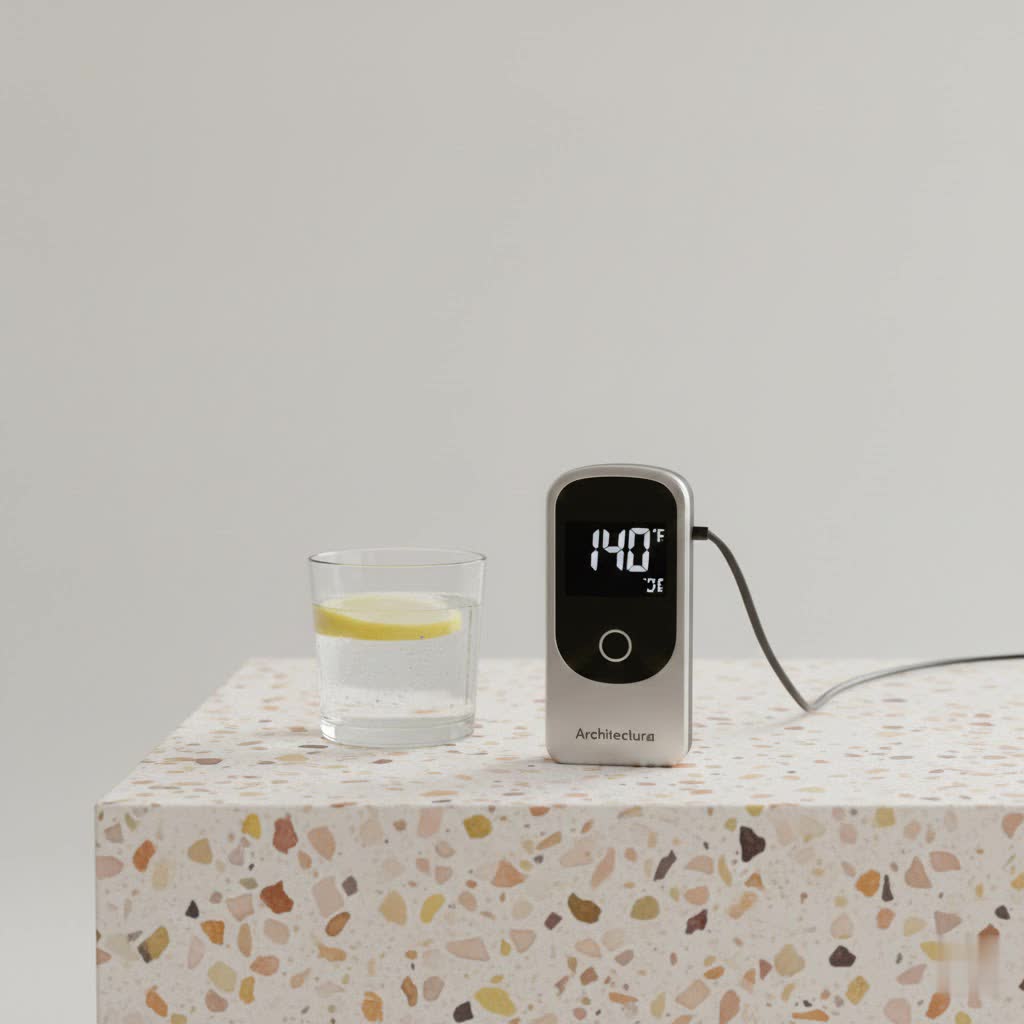
As someone who’s spent over 15 years knee-deep in the world of meat thermometers and, quite frankly, obsessed with culinary precision, I can confidently say that going wireless is a game-changer. It’s about more than just convenience; it’s about unlocking a new level of control, confidence, and ultimately, deliciousness in your cooking.
What Exactly is a Wireless Meat Probe Thermometer?
At its core, a wireless meat probe thermometer is a smart device designed to continuously monitor the internal temperature of your food without being physically tethered to a display unit by a wire. Think of it as your culinary spy, reporting back real-time data to a receiver or, more commonly today, directly to your smartphone or tablet.
The evolution from traditional instant-read thermometers to these sophisticated wireless systems has been remarkable. Initially, “wireless” often meant a wired probe connected to a base unit that then transmitted data wirelessly to a remote receiver. Today, however, truly wireless probes, like the innovative MEATER, have emerged as compact, self-contained units that eliminate wires altogether, offering unparalleled freedom.
These systems typically consist of three main components:
- The Probe: This is the heat-resistant, often stainless steel, rod inserted into your meat. Modern wireless probes feature multiple sensors – usually one or more for internal meat temperature and often another at the probe’s base for ambient cooking temperature.
- The Base/Transmitter: For fully wireless probes, this unit often doubles as a charging dock and a signal repeater, extending the range of your probe’s connection. For systems with wired probes, this is the main unit where the probes plug in.
- The Smart App (or Dedicated Receiver): This is your command center. Via Bluetooth or Wi-Fi, the app on your phone or a dedicated receiver displays temperatures, allows you to set target temperatures, track cooking progress, and sends alerts when your food is ready.
Types of Wireless Meat Thermometers: Finding Your Perfect Match
The wireless landscape offers a few different flavors of connectivity, each with its own sweet spot. Understanding these differences is key to choosing the right wireless meat probe thermometer for your cooking adventures.
Bluetooth Wireless Meat Thermometers
Bluetooth models are the most common and often the most accessible entry point into the world of wireless temperature monitoring. They establish a direct, short-range connection between your probe (or its base) and your smartphone.
- Pros: Generally more affordable, incredibly easy to set up (just pair with your phone), and perfect for backyard grilling or oven roasting where you’re typically within a moderate distance of your cooker. Many come with feature-rich apps, offering presets and alarms.
- Cons: Range is their main limitation, typically spanning 50 to 500 feet. Walls, dense smoke, and metal cookers can significantly reduce this signal, leading to frustrating dropouts. Connection instability can be a minor annoyance during very long cooks.
|
Our Picks for the Best Meat Thermometer in 2026
As an Amazon Associate I earn from qualifying purchases.
|
||
| Num | Product | Action |
|---|---|---|
| 1 | Alpha Grillers Meat Thermometer Digital - Instant Read Food Thermometer for Cooking and Grilling Gifts for Men Valentines Day Gifts for Him Her Mom Dad |

|
| 2 | Meat Thermometer Digital,IP67 Waterproof Thermometer for Cooking with 180° Auto-Rotating LED Display,Fast Instant Read Food thermometers for Grilling, Oven,Candy,Liquids,Beef,BBQ(Black) |
|
| 3 | TRAUSI Instant Read Meat Thermometer, Fast & Accurate Digital Food Thermometer with Backlight, Waterproof & Magnet for Grilling, Cooking, BBQ, Smoker, Baking, and Candy Making Blue |
|
| 4 | 0.5 Sec Instant Read Meat Thermometer Digital with ±0.5℉ Precision, Food Thermometer for Cooking Kitchen Gadgets, Oven Grill Candy BBQ Essentials Accessories, Gifts for Him Dad Men Birthday, Red |
|
| 5 | Professional 0.5 Sec Instant Read Meat Thermometer Digital, NIST Certified ±0.5℉ Accuracy, Auto Rotate Large LCD Display, Highly Waterproof Cooking Thermometer for Baking Grill BBQ Smoker Oven, Red |
|
| 6 | ThermoMaven Professional Meat Thermometer Digital, Ultra-Fast 0.5 Sec Instant Read, NIST Certified ±0.5°F Accuracy, 100% Waterproof, Auto-Rotating Backlit Display, Lift-to-Wake, for BBQ/Cooking/Candy |
|
| 7 | Digital Meat Thermometer, Waterproof Instant Read Food Thermometer for Cooking and Grilling, Kitchen Gadgets, Accessories with Backlight & Calibration for Candy, BBQ Grill, Liquids, Beef, Turkey… |
|
| 8 | Meat Thermometer Digital, Instant Read Meat ThermometerI for Grill and Cooking, Waterproof Food Thermometer for Kitchen and Outside, BBQ, Turkey, Candy, Liquids, Beef |
|
| 9 | Meat Thermometer Digital for Grilling and Cooking - ANDAXIN Waterproof Ultra-Fast Instant Read Food thermometers with Backlight & Calibration for Kitchen, Deep Fry, BBQ, Grill(Red/Black), LCD |
|
| 10 | 0.5s Instant Read Digital Meat Thermometer, Paysean ±0.5℉ with Auto-Rotating Backlit Display, IP67 Waterproof and Calibration for Cooking, Candy, Grilling, BBQ, Liquid, Smoker, Beef |
|
Wi-Fi Wireless Meat Thermometers
Stepping up in connectivity, Wi-Fi models leverage your home network, offering a much broader, and often unlimited, range. If your base unit can connect to your home Wi-Fi, you can monitor your cook from anywhere you have internet access – whether you’re in another room or even out running errands.
- Pros: The biggest advantage is the extended, often “unlimited” range, allowing you to monitor your cook from virtually anywhere. They tend to offer more stable connections and advanced cloud-based features like cooking history and remote access.
- Cons: They are typically pricier than their Bluetooth counterparts due to the more complex technology. Setting them up can involve a few more steps, as you need to connect the device to your home Wi-Fi network.
RF (Radio Frequency) Wireless Meat Thermometers
Some professional-grade systems, like ThermoWorks’ RFX line, utilize dedicated radio frequency technology. These often come with a standalone receiver and are designed for extreme stability and very long ranges.
- Pros: Exceptional range (often 1,000 to 2,000+ feet) and highly reliable connections, even through obstacles like walls and metal smokers. They’re ideal for those who prefer a dedicated display unit and don’t want to rely on a smartphone app.
- Cons: Generally more expensive and may lack some of the “smart” app features like predictive cooking or recipe guides that Bluetooth and Wi-Fi models offer. You’ll need to keep the dedicated receiver nearby to monitor temperatures.
How to Use Your Wireless Meat Probe for Culinary Perfection
Mastering your wireless meat probe thermometer is straightforward, but a few key steps ensure you get the most accurate readings and the best results.
Step-by-Step Usage Guide
- Charge Your Probe: Before any cook, ensure your wireless probe is fully charged. Most probes will charge quickly in their base unit, often providing hours of cooking time from a short charge. A dead battery mid-cook is a chef’s nightmare!
- Download and Pair with the App/Receiver: If your thermometer uses a smartphone app, download it and follow the on-screen instructions to pair your probe via Bluetooth or connect its gateway to your Wi-Fi. It’s usually a quick, intuitive process.
- Proper Probe Insertion: This is critical for accuracy.
- Thickest Part: Always insert the probe into the thickest part of the meat.
- Avoid Bones and Fat: Bones conduct heat faster, and fat renders at different rates, both of which can skew your temperature readings. Ensure the tip of the probe is nestled purely in muscle.
- Thin Cuts: For thinner cuts like steaks or chops, insert the probe sideways, parallel to your cutting surface, to ensure the sensor reaches the true center of the meat.
- Set Your Target Temperature: Within the app or on the receiver, select the type of meat you’re cooking and your desired doneness level. Most apps come with USDA-recommended presets, taking the guesswork out of safe cooking temperatures.
- Monitor Remotely: Place your meat in the oven, grill, or smoker and let your wireless meat probe thermometer do its job. You can now walk away, tend to guests, or prepare side dishes, monitoring the progress from your device. The app will send alerts when your meat is approaching and reaches its target temperature.
- Rest the Meat: Once your target temperature is reached, remove the meat from the heat. Remember that internal temperature will continue to rise a few degrees during resting (carryover cooking). Allow the meat to rest for 5-15 minutes, depending on the cut, before slicing. This allows the juices to redistribute, ensuring a more tender and flavorful result.
Essential Internal Temperatures for Food Safety & Flavor
Knowing the correct internal temperatures is paramount for both food safety and achieving your desired doneness. Here’s a quick reference, but always consult your device’s app or a reliable food safety chart for specific recommendations.
| Meat Type | Minimum Safe Internal Temperature (USDA) | Doneness/Notes |
|---|---|---|
| Poultry (Whole/Ground) | 165°F (74°C) | All poultry should reach 165°F. |
| Ground Meats (Beef, Pork, Lamb) | 160°F (71°C) | Ensures harmful bacteria are eliminated. |
| Beef, Pork, Lamb (Steaks, Roasts, Chops) | ||
| Rare | 125-130°F (52-54°C) | Remove from heat at this temp for resting. |
| Medium-Rare | 130-135°F (54-57°C) | Remove from heat at this temp for resting. |
| Medium | 135-140°F (57-60°C) | Remove from heat at this temp for resting. |
| Medium-Well | 140-145°F (60-63°C) | Remove from heat at this temp for resting. |
| Well-Done | 145°F (63°C) and above | Remove from heat at this temp for resting; can reach 160°F (71°C) for leaner cuts. |
| Fresh Pork (Chops, Roasts) | 145°F (63°C) | Allow 3 minutes rest time. |
| Fish | 145°F (63°C) | Or until flesh is opaque and separates easily with a fork. |
Remember, these are pull temperatures. The meat’s internal temperature will rise a few degrees during the rest period due to carryover cooking. For example, if you’re aiming for a medium-rare steak at 135°F, you might pull it off the heat at 130°F and let it rise to perfection during resting.
Factors Affecting Your Wireless Meat Thermometer’s Accuracy
Even the best wireless meat probe thermometer can give you misleading readings if certain factors aren’t accounted for.
Probe Placement
As mentioned, incorrect placement is the number one culprit for inaccurate readings. Inserting the probe too close to a bone, a large pocket of fat, or even the cooking surface itself will give you a skewed reading. Always aim for the deepest part of the muscle, away from any bones or gristle.
Ambient Temperature Readings
Many fully wireless probes have a sensor in the handle to measure the ambient temperature of your cooker. However, a common issue, often dubbed the “heat sink” effect, occurs when the colder mass of the meat itself draws heat away, causing the ambient sensor to read significantly lower than the actual pit temperature. Some manufacturers address this with advanced algorithms, while others, like ThermoWorks’ RFX system, offer a separate, wired ambient probe that clips to the grate, ensuring an uncompromised reading.
Connectivity
Wireless signals are susceptible to interference. The thick metal walls of a smoker or grill, other electronic devices, and even building walls can weaken the signal between your probe and receiver/app. Staying within the recommended range and ensuring clear line-of-sight (if possible) can mitigate connection drops.
Calibration
Over time, any thermometer can drift slightly out of calibration. While most high-quality wireless probes are factory-calibrated, it’s a good practice to periodically check their accuracy with an ice bath (32°F / 0°C) or boiling water (212°F / 100°C at sea level). If your readings are consistently off, consult your user manual for recalibration instructions.
Keeping It Pristine: Care and Maintenance Tips
A well-cared-for wireless meat probe thermometer will be your loyal kitchen companion for years. Proper maintenance is key to its longevity and accurate performance.
- Cleaning: After each use, clean your probe thoroughly. Most probes are safe to clean with warm, soapy water. Always refer to the manufacturer’s instructions, as some parts may not be fully waterproof or dishwasher-safe. Avoid abrasive scrubbers that could damage the probe’s surface.
- Storage: Store your probes in their charging base or designated storage case. This keeps them safe from damage and ensures they’re charged and ready for your next cook.
- Battery Life: Keep an eye on the battery life, especially for fully wireless probes. Many apps will display the probe’s battery status. Plan your charging schedule around your cooking sessions to avoid unexpected power loss.
Troubleshooting Common Wireless Meat Thermometer Issues
Even with the best equipment, you might encounter a hiccup or two. Here’s how to tackle some common problems:
Inaccurate Readings
- Recalibrate: If you suspect inaccuracy, perform an ice bath or boiling water test. If significantly off, follow manufacturer instructions for recalibration.
- Check Placement: Re-evaluate where you’ve inserted the probe. Is it in the thickest part? Is it touching bone or fat?
- Ambient Sensor Woes: If your ambient reading seems low, remember the “heat sink” effect. Consider if your cooking style truly requires a hyper-accurate ambient reading from that specific probe, or if an external ambient thermometer is better suited.
Connection Drops
- Stay in Range: Move your receiver or smartphone closer to the cooker.
- Reduce Interference: Move other electronic devices away from the thermometer’s base. Metal surfaces can also block signals; try repositioning the base unit if possible.
- Restart: Sometimes, a simple restart of the probe, base, and/or your phone’s app can resolve connectivity glitches.
Probe Damage
- Handle with Care: Avoid bending, dropping, or exposing the probe’s handle to direct flame or extreme temperatures beyond its rating.
- Clean Regularly: Corrosion from leftover food residues can damage the probe over time. Regular cleaning prevents this.
Faded or Unresponsive Display
- Keep Dry: Moisture is the enemy of electronics. Ensure your display unit is kept dry.
- Physical Damage: If the unit has been dropped or damaged, this could be the cause.
Expert Insight from JXSRW
“The leap to wireless meat thermometers isn’t just about cutting cords; it’s about gaining unparalleled insight and control over your cooking environment,” says Chef Julian Thorne, our lead culinary technologist here at JXSRW. “The real-time data, predictive algorithms, and remote monitoring capabilities empower even novice cooks to achieve results that were once the domain of seasoned pitmasters. It truly is kitchen alchemy, made accessible.”
Frequently Asked Questions (FAQ)
Q: Are wireless meat thermometers worth the investment?
A: Absolutely. For anyone serious about achieving perfectly cooked, safe meat consistently, a wireless meat probe thermometer is an invaluable tool. It eliminates guesswork, reduces stress, and often saves you from overcooking expensive cuts, making it a worthwhile investment in your culinary journey.
Q: Can I use a wireless thermometer in an oven, smoker, and grill?
A: Yes! Most wireless meat probes are designed to withstand the high temperatures of ovens, grills, and smokers. Always check the manufacturer’s specifications for the probe’s maximum temperature tolerance, especially for the ambient sensor or handle portion, to ensure it’s suitable for your intended use.
Q: How far can a wireless meat thermometer reach?
A: The range varies significantly by technology. Bluetooth models typically offer 50-500 feet, Wi-Fi models can provide unlimited range (as long as you have an internet connection), and dedicated RF systems often boast ranges of 1,000-2,000+ feet. Obstacles like walls and metal can reduce these ranges.
Q: Why is my wireless thermometer’s ambient temperature reading off?
A: This is a common issue often due to the “heat sink” effect, where the cold meat itself pulls heat from the ambient sensor, causing a lower-than-actual reading. Some advanced probes compensate, while for absolute ambient accuracy, a separate, wired ambient probe often provides a more reliable reading.
Q: How do I calibrate my wireless meat thermometer?
A: While most modern wireless thermometers come pre-calibrated, you can check accuracy with an ice bath (32°F / 0°C) or boiling water (212°F / 100°C at sea level). If adjustment is needed, consult your specific model’s user manual for calibration steps.
Q: How do I clean my wireless meat probe?
A: After each use, clean the probe with warm, soapy water. Ensure all food residue is removed. Rinse thoroughly and dry completely before storing. Always check your thermometer’s manual for specific cleaning instructions, as some probes or components may not be dishwasher-safe or fully submersible.
The Future of Flavor is Wireless
Gone are the days of constant hovering and anxious peeking. With a high-quality wireless meat probe thermometer, you’re not just buying a gadget; you’re investing in culinary freedom, precision, and the undeniable satisfaction of perfectly cooked food, every single time. It’s time to confidently tackle any cut, any cooker, and any recipe, knowing that your trusty wireless companion has your back. So, what are you waiting for? Embrace the wireless revolution and transform your cooking today!
